
Viper 1.5.20 — Chat Over Bluetooth, No Internet Needed
Updated for Viper 1.5.34 (November 19, 2026)
What changed since this post. Where the post and the app differ, the app is right.
- Every new Bluetooth link asks first: the other phone shows a card with Allow or Decline, contacts too.
- The default order is now relay first (fastest on a weak network); a Bluetooth link still wins. Change it in Settings → Connectivity → Route priority. The 1.5.20 text said a direct link takes priority.
- The P2P and Bluetooth switches are in Settings → Connectivity (Allow P2P, Allow Bluetooth), not in the profile.
- Files over Bluetooth: up to 8 MB, up to 1 GB when Wi-Fi can join in; bigger files take the relay.
- Bluetooth → direct over the internet works; a stable link out of range is still in progress (an IP change breaks the direct link; it needs TON DHT). See the Bluetooth guide.
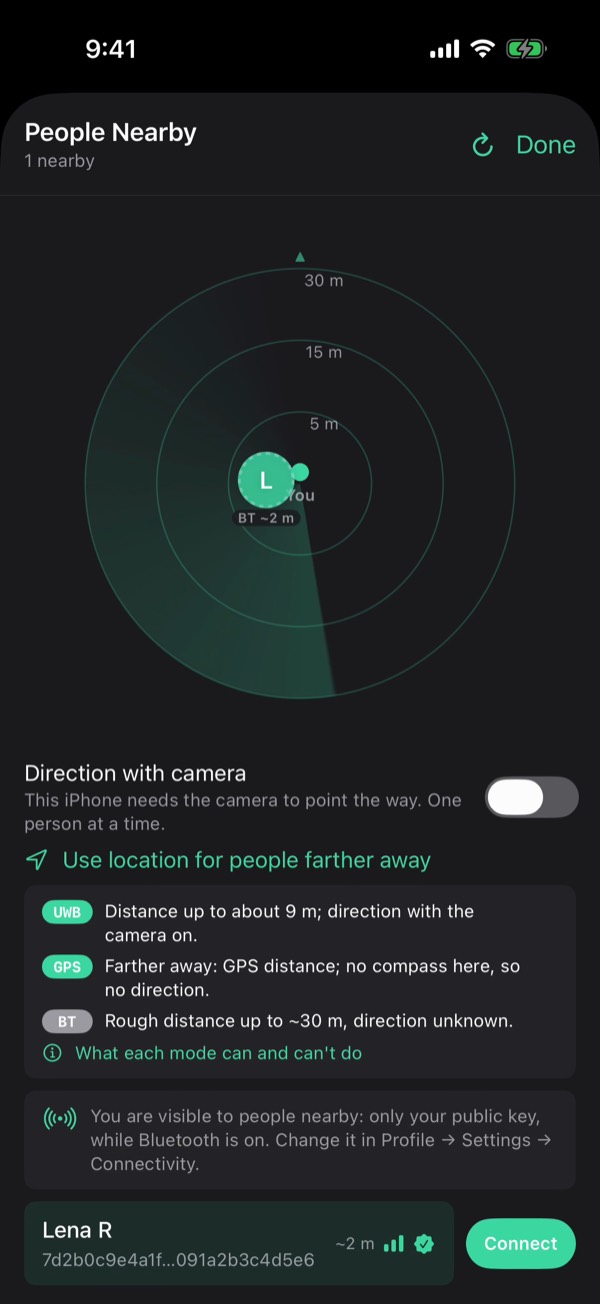
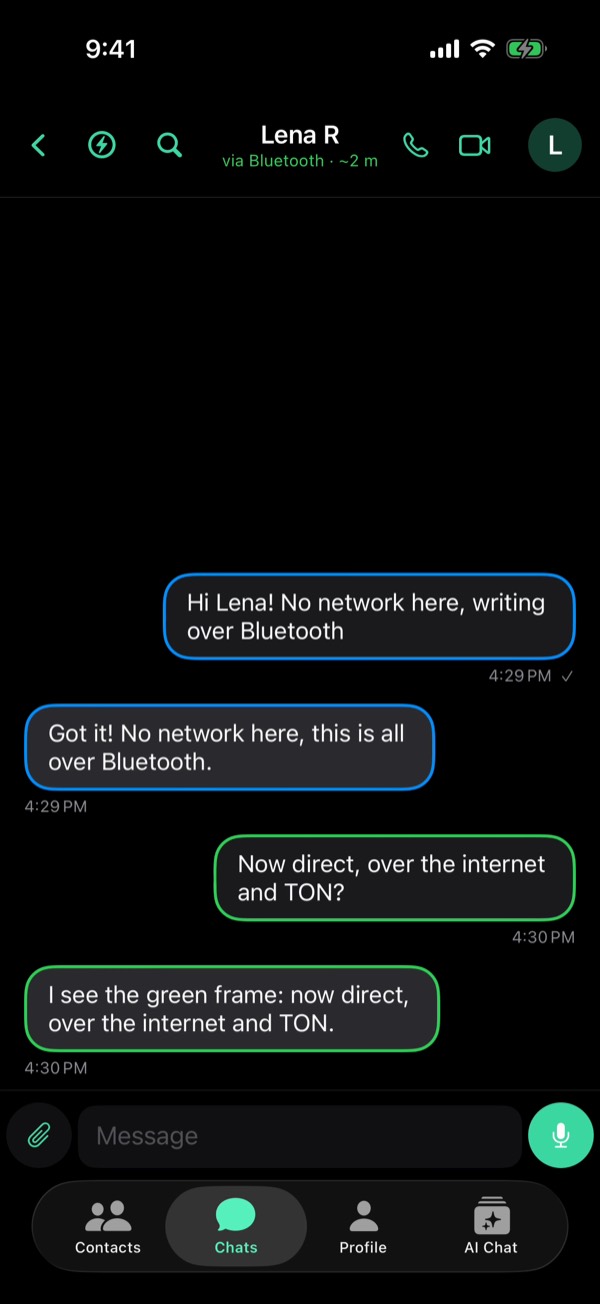
Viper now talks over Bluetooth. Two devices in range of each other can exchange messages over an encrypted radio link — no servers, no mobile data, nothing to pay for. This is the first transport Viper offers that doesn't touch the internet at all.
Chat Over Bluetooth
- Messages travel over an encrypted Bluetooth link when you and the other person are in range.
- No servers, no mobile data, nothing to pay for.
- You can also bring up a direct P2P connection over Bluetooth: the two devices exchange addresses over the radio link, then talk to each other directly.
People Nearby
Tap the radar next to the search field to find Viper users around you. Every one of them proves their identity with their key before anything is shown.
Choose How a Chat Connects
Tap the bolt in a chat to pick its route — direct P2P, relay, or Bluetooth — and see which ones are actually available right now instead of guessing.
- New switches in your profile turn P2P or Bluetooth off entirely.
- When a direct link is up, it takes priority. A Bluetooth link stays ready underneath it.
Themes
- Viper — the mint palette, following your system light or dark mode.
- Terminal — phosphor green on black with monospaced messages.
Faster and More Reliable Delivery
- Fixed a regression that could delay messages by seconds, especially after the app had been in the background or the phone had switched networks.
- Files, voice notes and video circles now get through on weak mobile connections instead of timing out.
- Fixed messages not arriving at all after unlocking the app with Face ID.
First published September 9, 2026 on the old Viper Foundation blog; moved here November 19, 2026. All posts