
The Chats list
What is in it, in what order, and how to delete chats
Newest on top
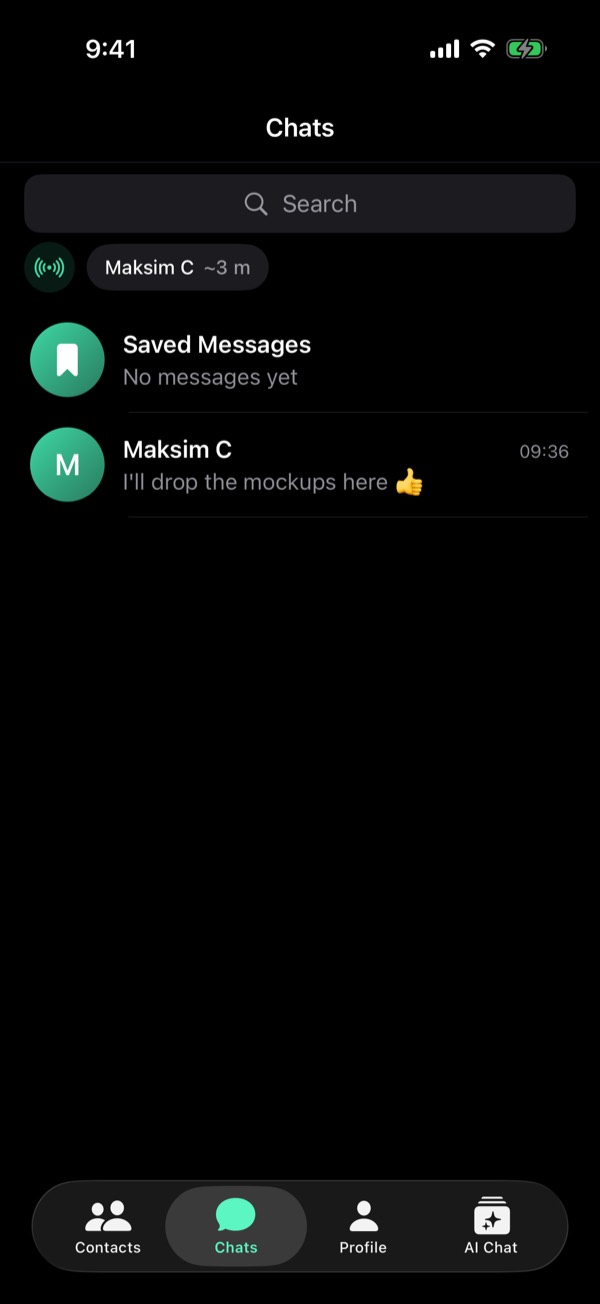
Saved Messages is always first. Under it, chats go by their newest message, newest first: a new message moves its chat up.
Only chats with messages
A chat shows up here once a message or a call is sent or received in it. Adding a contact does not add it: they are in Contacts. Opening someone from Search does not either.
Hold a chat
Hold a chat in the list: Select, Add to Contacts if they are not in your contacts yet, and Delete Chat. Saved Messages has no Delete.
Several at once
Hold a chat and tap Select, then tap the others. Select All ticks every chat, Delete removes the ticked ones. Cancel leaves without a change.
What Delete does
The chat goes at once, from this phone only: nothing is sent to them. A contact stays in Contacts. If they write again, the chat comes back, with only the new message.
Earlier on this blog
From the guide in Viper 1.5.34: Profile → Settings → Help → Guides. All posts